A front page that someone arranged
7 min read The Mahhala Team Official

First of three October posts. The others: a board is a publication, for the people who build them, and the door you do not pay rent on, for the stores.
Here is the con, stated plainly. Most shopping pages are not arranged for you. They are arranged for whoever paid to be first, and then padded to the bottom of the screen so you never run out of things to not want. You search for a lamp and get four sponsored lamps, then forty more, then a prompt to keep scrolling. Nobody chose any of it. A formula did, and the formula's job is not your living room.
People have noticed. In a survey The Harris Poll ran for Quad between February 5 and 7, 2026, among 2,180 American adults, 75% said they would lose trust in AI shopping if the results were sponsored. That is not a complaint about technology. It is a complaint about who the page works for.
So we rebuilt our front page around a different idea: a person arranged it, it changes on a schedule you could set a watch by, and the few paid spots on it say so in words.
What the front page is now, top to bottom

The theme row. The first thing you see is a short row of boards, at most five, each one a collection a person on our team built for a theme. Right now the theme is fall. Each board is a set of products from independent stores, in an order someone chose. Here is one of them.

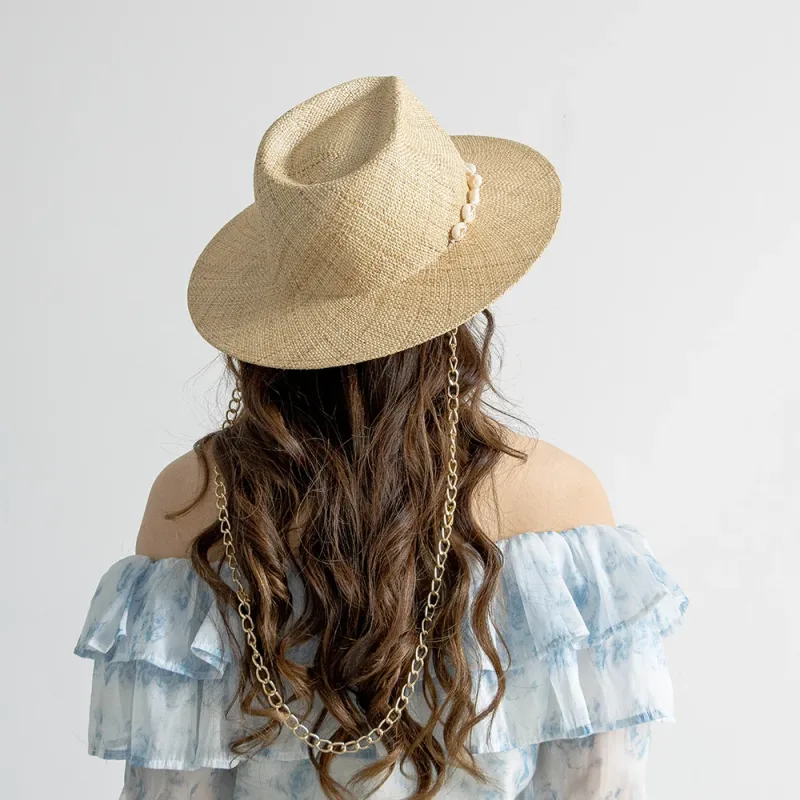
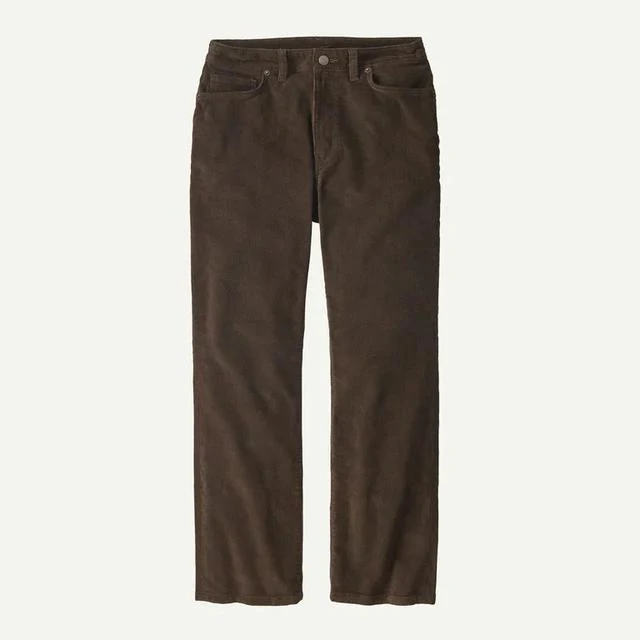

Trending categories. Under the theme row sits a line of category chips: the top-level categories with the most activity inside them, counted from what shoppers view, click, share, and save, not from what anyone paid for.
Two board rails. Then two rails of products, each one a board, and each one changes weekly. The first is always one of ours. The second can be a member's board, when a member has built one good enough to qualify, which is a sentence we are proud to be able to write.

Stores on the rise. A short row of the stores members are following most, each with a small flag for the store's country.
Two category rails. Then two rails that are each a category, and these change daily. A category rail has room for up to two Promoted cards, and we will come back to those.
Shop trending. The page ends on three products from across the catalog, redrawn every day, and a link to the full trending page.
That is the whole thing. There is no feed under it. A page you can reach the bottom of is a page someone took responsibility for.
Two rules hold for everything on it. First, nothing reaches a rail unless it passes the same gate every product on the site passes to be recommended: a vetted store that is live, a listing that is not held for review, a category we are willing to put forward on a front page. Second, a rail that cannot fill itself does not show. We would rather have four rails than five with a thin one.
Save, from any card
Every product card has a ⋯ menu in its footer. Choose Save and a small dialog opens, titled Add to collection, listing your boards. Pick one and the product is on that board, marked with a check. Pick two and it is on both; a product can sit on as many of your boards as you like.

A detail worth knowing: saving to a board hearts the product first. A board on Mahhala is made of favorites, so the heart and the board are one action, not two. You cannot create a new board from inside that dialog; if you have none yet, it points you to your favorites page, where boards are made.
The rest of the menu is Share and Report. On the card itself, only the image is the way out to the store. The store's name is a link to the store's page here, where you can see what else they carry before you leave.
Signed out, it finishes after you sign in
Press Save, Follow, or a store's heart while signed out and you do not get a dead end. You get a prompt to sign in, and we hold the thing you were about to do for up to an hour. Sign in, and it finishes. The product lands on the board, the follow is recorded, the store is favorited.

We built it this way because the alternative, the one most sites use, is to drop you on a login form and forget why you came. If you were about to save something, that is the one fact worth remembering.
Browse two levels deep, or all of it
The front page is deliberately small, so the catalog needs doors of its own.
Categories. /categories is a grid of picture tiles, one per top-level category. Open one and you get its sub-categories, each tile wearing the first product inside it. Open a sub-category and you are at a grid of products. Two levels, and no deeper, by decision. A taxonomy that goes six levels down is useful to a database and useless to a person looking for a coat.

Everything. /products is the whole catalog on one path, with a sort menu. When you want to see all of it and decide for yourself, that is the page.
Trending. /trending is what Explore used to be: the boards and stores and categories that are moving this week, with the same labels for paid spots as the front page.
Collections. /collections is every public board on the site, sorted Surprise me by default, or by most popular, newest, oldest, or relevance to a search.
Where the paid spots are, and how you can tell
We have said this before and it is still the sentence: sponsored placements exist, they are clearly labeled, and they never buy their way into organic trends. Here is where that lands on the front page.
A category rail can carry up to two Promoted cards. Each one says Promoted on it. They are never side by side, and never the first card in the rail. A board rail, the theme row, Trending categories, Stores on the rise, and Shop trending carry none. What is trending is counted from what shoppers do, and no store can pay its way into that count.
A store that promotes a product is paying us to put it in front of you. That is the business, and we would rather you knew exactly which cards it bought than wonder about all of them. The ones without the word are there because a person, or the week's clicks, put them there.
We're young. The front page is small because the catalog is still growing, and because small is the point. It is one more door to independent stores, arranged by hand, and we will keep rearranging it as the season turns.